OpenPV Developer Toolkit — User Guide
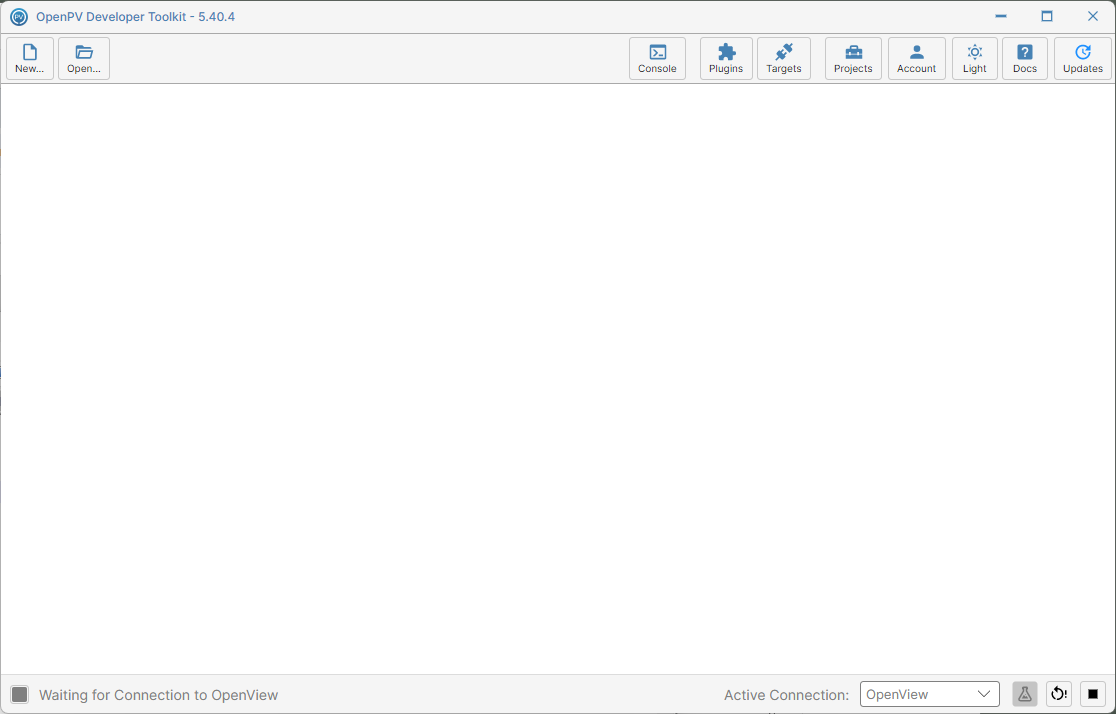
This guide covers the OpenPV Developer Toolkit: the sign-in screen you see before you're connected to an account, the main toolbar at the top of the main window (split into two groups, Packaging Tools and Utilities), the Configuration Panel that appears once a project is open, and the online Projects workflow.
General
Shown while signed out
Packaging Tools
Two more buttons, Save... and Close, appear here only while a project is open.
Once a project is open, its own second-level toolbar also appears — see Configuration Panel for what's on it.
Utilities
No project needed
Requires: internet connection
Requires: signed in
Requires: internet connection
Always enabled
(Light / Dark / Auto)
Always enabled
Always enabled
Requires: internet connection
Sign-in and connectivity
Several buttons are disabled until the app reaches a certain state at startup:
| Button | Enabled when |
|---|---|
| New..., Open..., Save..., Close | Signed in to an account |
| Targets | Signed in to an account |
| Projects, Plugins, Updates | Connected to the internet |
| Console, Account, Theme, Docs | Always enabled |